Is this possible in Personal payment system to make order receive special status? For example 'Cash on delivery' instead 'Confirmed by User'
By default for Personal payment system on successful payment there will be a 'Confirmed by User' status. To set your own status you need to activate Advanced settings. For this:1) create a file 'payments/success.php' which should contain the following lines
<?
$transaction_id = 'ok';
?>
2) on Edit Payment System page tick off "Is Advanced " checkbook and set Advanced Library as
./payments/success.php
3) specify something for Advanced URL (it could be any value, for example 'test')
4) select your preferred statuses on Success, Pending and Failure
read more...

Empty response from PayPal
We would recommend to use an absolute path to your SSLCert, like: /home/user_name/public_html/pro/cert_key_pem.txtPlease, also check if your server allows you the outgoing connections as sometimes some hosting providers require using proxy settings. read more...
Authorize.net error: 'Can't obtain data for your transaction.'
Authorize.net error: 'Can't obtain data for your transaction.'Solution: Most probably the problem has to do with the fact that your hosting provider uses proxy server.
Therefore, in your payment settings you need to add 2 parameters:
host:port for CURLOPT_PROXY (e.g. www.someproxyserver.com:8080)
user:password for CURLOPT_PROXYUSERPWD (e.g. my_name:secret)
You can get more info at: http://www.viart.com/proxy_settings_payment_systems.html read more...
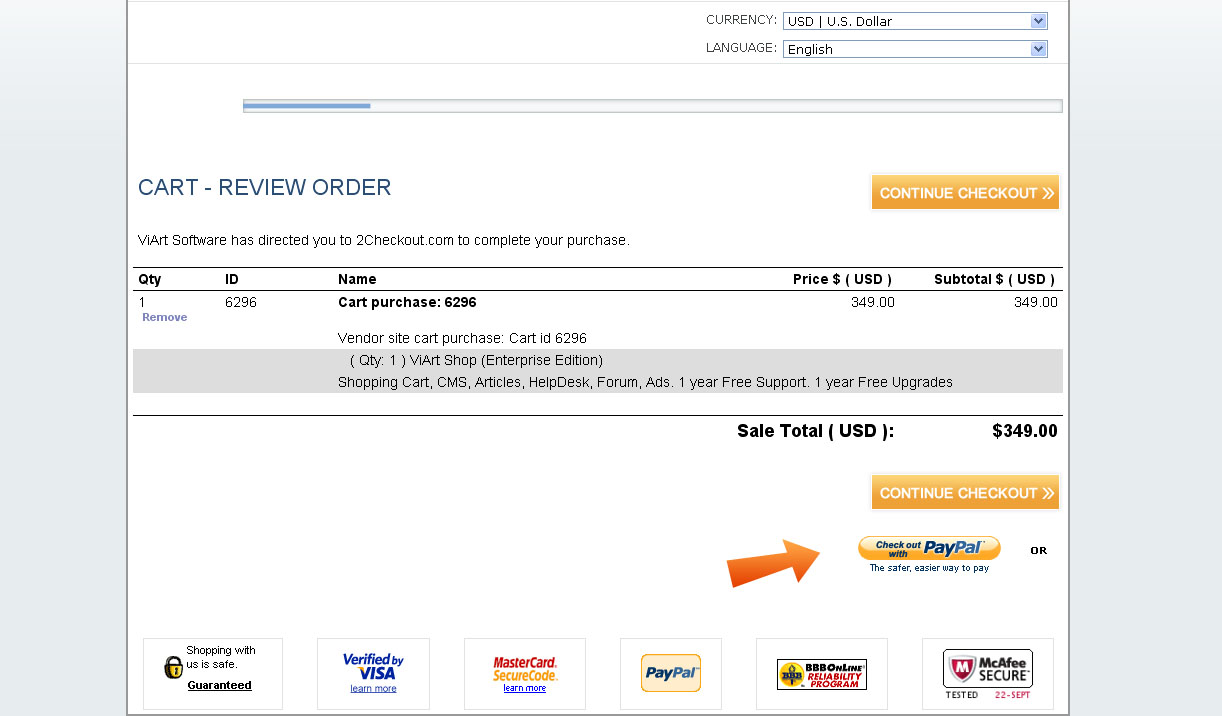
Can I pay for ViArt Software with PayPal?
Yes you can. For this:
- add a product to cart;
- click 'Checkout';
- fill in your Personal details;
- click 'Continue'';
- select on the 2checkout website the option "Checkout with PayPal" like on this screenshot http://www.viart.com/img/checkout_paypal.jpg
Learn absolute path to certificate
We recommend to find the correct path to your certificate with the help of phpinfo file. Create a file in Notepad, like phpinfo.php that contains only one string:<?php phpinfo(); ?>
and upload it to the folder where your certificate is located:
Then type something like www.yoursite.com/TEST-FOLDER/phpinfo.php in the browser's bar and press Enter button; you will see all the information regarding your server settings. Search for the field SCRIPT_FILENAME where you will see the full path to this file. For example, if you see path like this:
/home/LOGINNAME/public_html/TEST-FOLDER/phpinfo.php
Change it to:
/home/LOGINNAME/public_html/TEST-FOLDER/ppcert.txt
and paste the path where required. read more...